Free installation, lifetime updates, full source code, one-time payment, and 6 months of support.
Support Opencart ALL 3.x, 2.3.x and 4.x (4.1.0.3 also)
2.3.0.0 to 2.3.0.2, 3.0.0.0 to 3.0.5.1 and 4.0.0.0 to 4.1.0.4
Demo of Opencart Multivendor
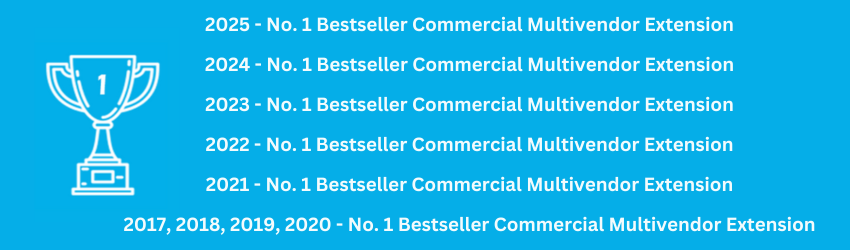
Bestselling Extension for MultiVendor eCommerce
Top-Selling OpenCart Multi-Vendor Extension — 4,250+ Sales (1750 + on Opencart Marketplace + 2500 on
Purpletree Store), Over Twice the Nearest Competitor
Unmatched Value, Rich Features, Trusted Support & Regular Updates.
Key Features of OpenCart Multi-Vendor Marketplace
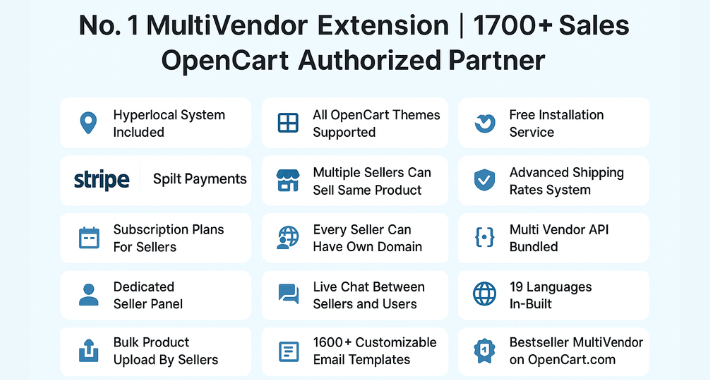
- Complete MultiVendor Marketplace Solution: All-in-one solution with no additional add-ons needed. Supports all OpenCart themes, including Journal.
- Split Payment Gateways: Stripe (Standard) and PayPal Split Payments for Admin-Vendor Split Payments.
- Hyperlocal Selling: Location/Area-based product selling options for vendors.
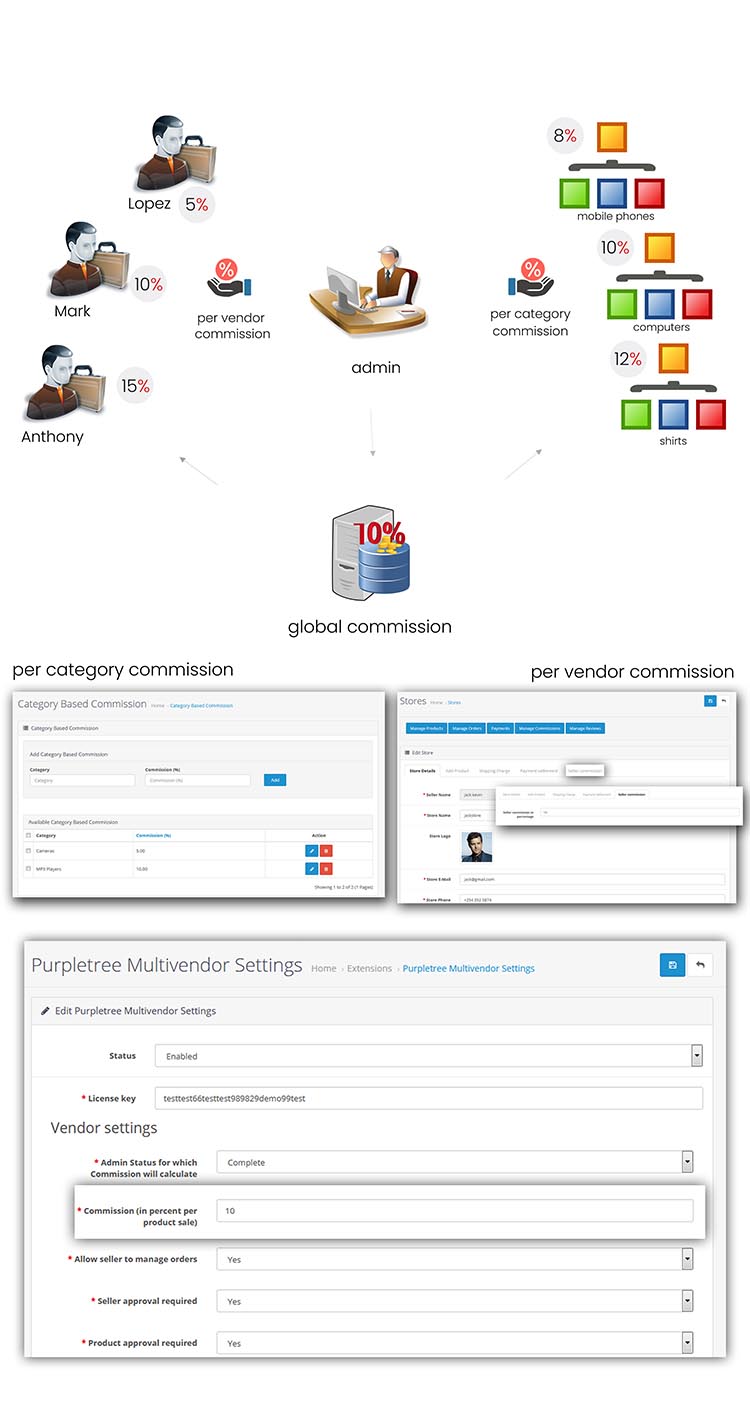
- Flexible Commission Settings: Admin can set commission globally, per vendor store and product category-wise, fixed or percentage value.
- Seller Subscription Plans: Subscription/membership plans for sellers with online payments, invoices, plan upgrade/downgrade, automated reminders, and renewals.
- Dynamic Feature Control: Many features can be enabled or disabled based on your business model.
- Multilingual Support: Supports 19 global languages, and other languages can be added at nominal cost
- Unified Cart Checkout: Customers can buy from multiple vendors in one order.
- Split Order Processing: Sellers can easily handle their part of the order,/Smooth order split for each vendor
- Live Vendor Chat: Customers can chat directly with sellers.
- Bulk Product Management: Bulk import/export Products for the admin and vendors.
- Multi Store Support: Fully compatible with OpenCart Multi Store setup.
- Feature Toggle Control: Admins can activate/deactivate most of the features anytime.
- Multilingual Email Templates: Email notifications to admin, vendors, and customers in supported languages.
- Same Product Vendors: Multiple vendors can sell the same product.
- Seller Info Toggle: Show/hide seller name and address.
- Invoice Payment Button: Direct payment from the commission invoice.
- Advanced Shipping Options: Shipping rates set by country, zip code, weight by admin and vendor.
- MultiVendor Shipping: Built-in vendor-based shipping module for defining shipping rates.
- Seller Vacation Mode: Temporarily hide seller products.
- Product Page Toggle: Option to display/hide seller details.
- Customer Detail Control: Admin can show/hide buyer details from vendors.
- Flexible Registration Fields: Custom optional seller registration fields.
- Seller RMA: Return management for sellers.
- Coupon Module: Vendors can issue discount codes.
- Basic Mobile API: Mobile functionality supported.
- Dedicated Seller Panel: Separate dashboard and registration form for sellers.
- Seller Panel Like Admin: Admin-style UI for seller dashboard.
- Supported Languages: English, Arabic (RTL), Spanish, French, German, Italian, Dutch, Russian, Turkish, Romanian, Chinese (CN), Chinese (TW), Portuguese, Indonesian, Japanese, Filipino, Vietnamese, Thai. Others can be added affordably.
- Top-Selling Extension: Bestseller on OpenCart.com with 4,000+ sales across platforms.
Theme Compatibility & Flexibility
- Compatible with all OpenCart themes including Journal 3, Journal 2, Fastor, eMarket, Revo, Shoppica, Sellya, ShoppyStore, Siezz, MaxShop, Matrix, Ronixa, TopSell, Best Shop, Avansi, Oneshop, and more.
- Admin can enable or disable features like hyperlocal, subscriptions, and smart products as needed.
One Page Checkout
Core Features of OpenCart Multi Supplier Extension
Admin Features
- Journal Theme Support: The Journal theme is officially supported.
- Seller Commission: Set commission for sellers.
- Order Management Permission: Control whether a seller can manage orders.
- Seller Approval Setting: Choose if seller approval is required.
- Product Approval Setting: Choose if product approval is needed.
- Related Products Control: Allow/disallow sellers to add related products.
- Seller Reviews ON/OFF: Enable/disable seller ratings and reviews.
- Admin Approval for Sellers: Approve sellers post-registration.
- Allowed Categories: Assign categories allowed to sellers.
- Seller Management: Full control over seller records.
- Add/Edit Seller: Manually add or edit sellers.
- Seller Store Management: Manage seller storefronts.
- Update Seller Stores: Update seller information.
- Product Management: Manage seller product listings.
- Admin Product Assignment: Assign products to sellers manually.
- Order Management: View and manage seller orders.
- Seller Order Listing: View order details for each seller.
- Seller-wise Orders: Separate orders by vendor.
- Update Seller Order Status: Change status per seller order.
- Review Management: Control and moderate seller reviews.
- Commission Management: Manage and configure commission logic.
- Payment Settlement: Settle payments to sellers.
- Offline Payments: Record offline seller payments.
- Subscription Plans: Enable subscription system for vendors.
Seller Features
- Customer Inquiries: Contact form to receive buyer queries.
- SEO Store URL: Optimized URL for seller store.
- Split Orders: Automatic order separation by seller.
- Seller Panel: Easy-to-use dedicated seller panel.
- Seller Registration: Frontend registration form for vendors.
- View Own Products: View products uploaded by the seller.
- Add/Edit Products: Add and modify products easily.
- Seller Info on Product Page: Show seller info on product details.
- Add Related Products: Add related products to listings.
- Shipping Control: Configure seller-specific shipping charges.
- Multi-Seller Order Handling: Handle orders from multiple vendors.
- Individual Seller Page: Dedicated storefront with seller details and products.
- Product Sorting: Enable sorting by name, price, etc.
- Review Dashboard: Manage all received reviews.
- Commission History: View past commissions.
- Payment History: Track all seller payments.
- Subscription Payment: Make payments for seller plans.
- Close Seller Account: Option to close seller profile.
Customer Features
- Contact Seller: Reach out using seller contact form.
- SEO Store URL: Friendly URL for seller storefronts.
- View Seller Stores: Browse available vendor stores.
- Seller Info on Product Page: See seller profile and ratings.
- Give Seller Review: Rate and review vendors.
- Flexible Seller Registration: Customers can become sellers.
Feature Summaries of OpenCart Multi Vendor Plugin
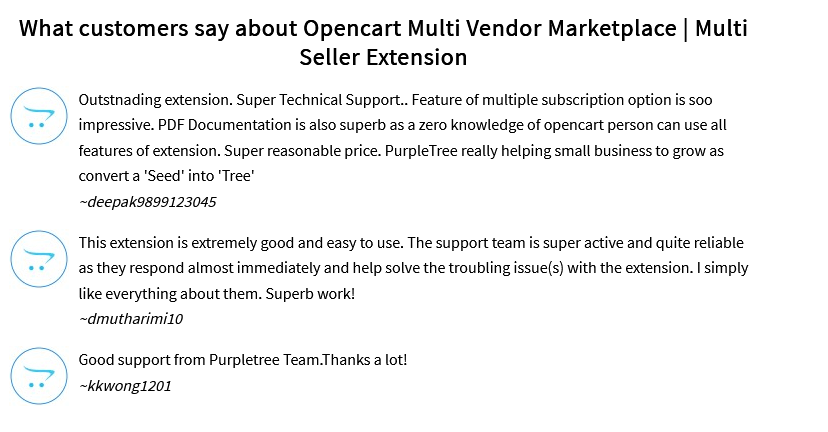
Official Reviews at OpenCart Marketplace
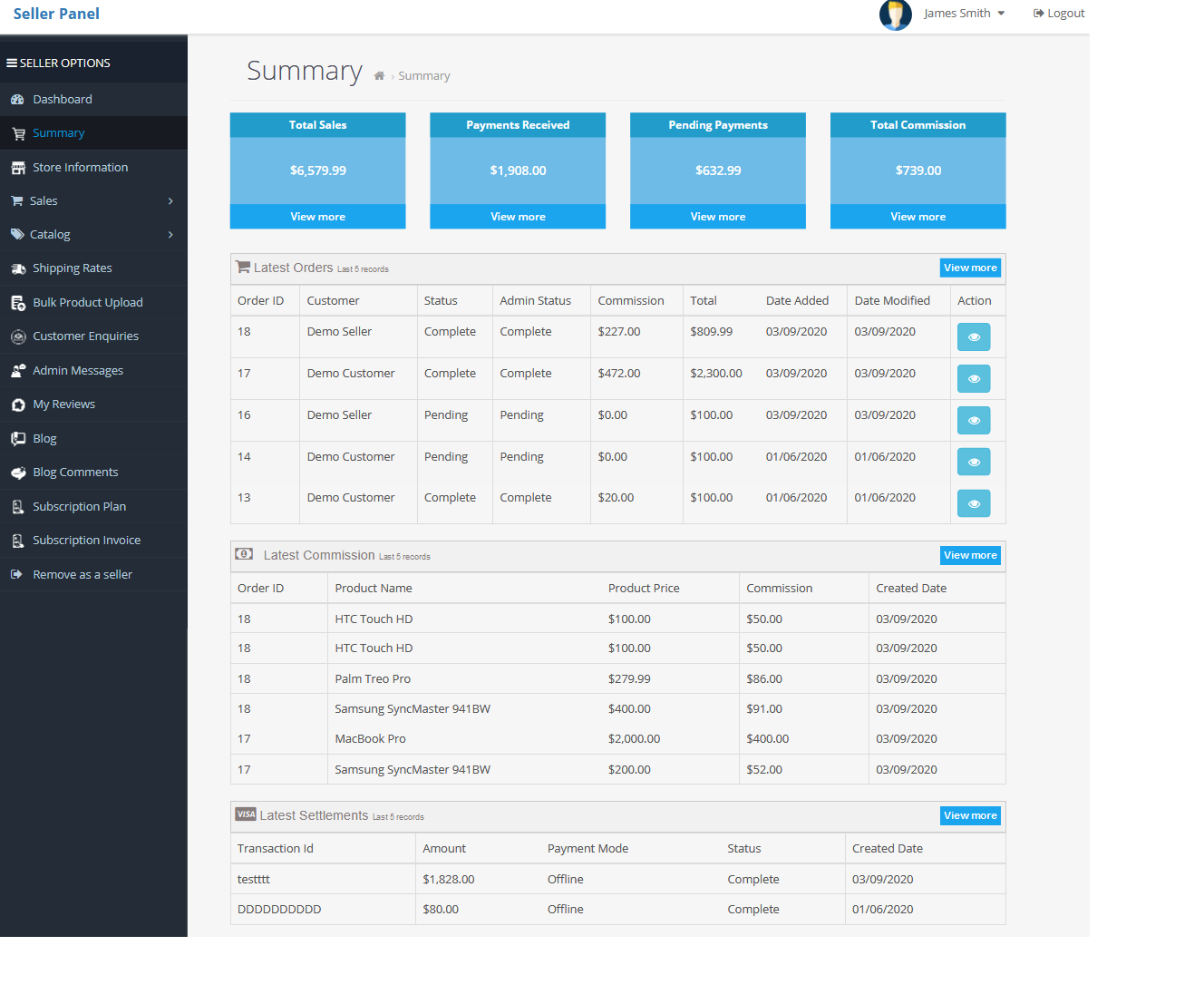
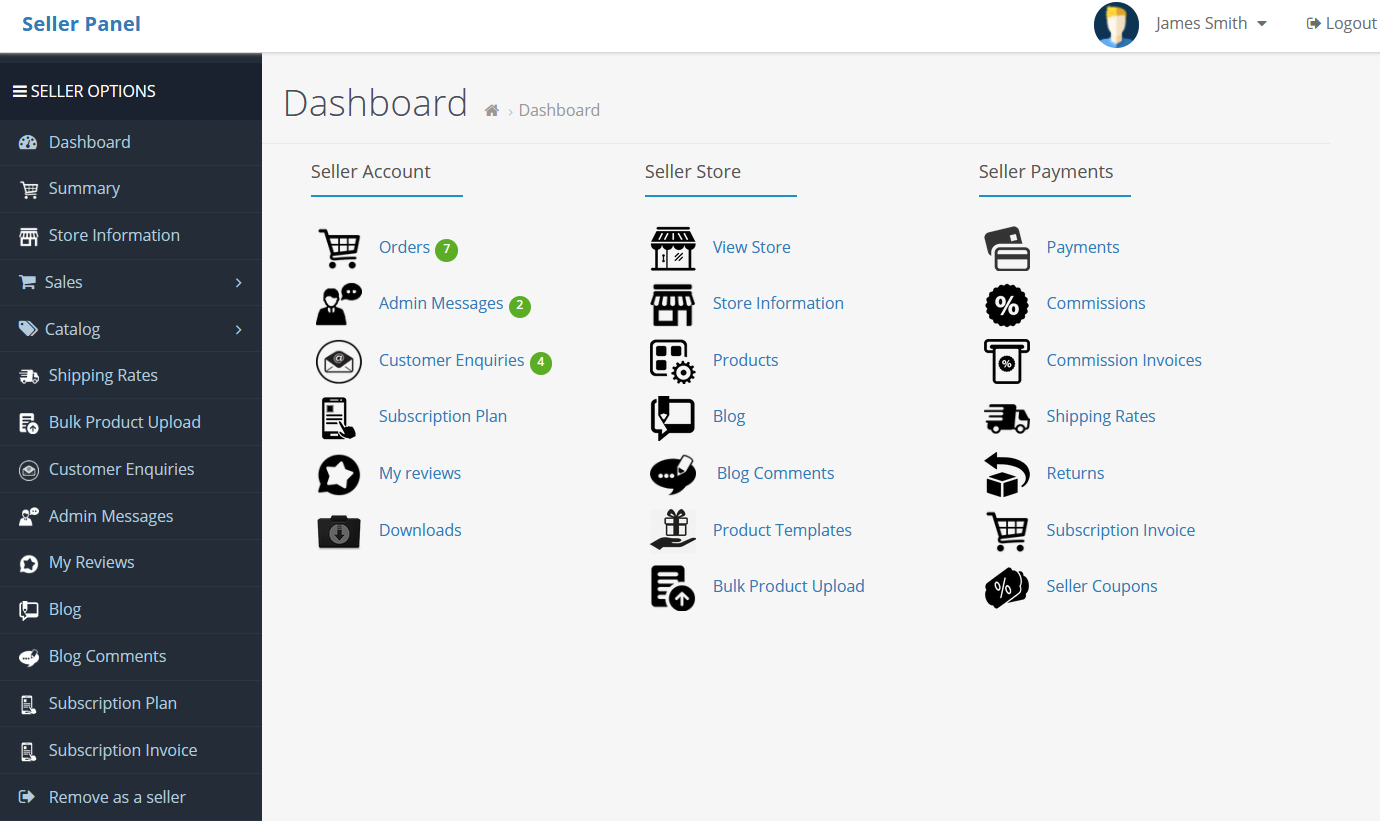
Dedicated seller panel, outside of the front-end theme area. Similar to the Admin panel.
Financial Summary
Multi-lingual Solution of Multi Seller Add on
This application works with 19 languages out of the box. You do not need any language packs for our extension-related pages.
Supported Languages: English, Chinese (China), Chinese (Taiwan), Spanish, Arabic, Portuguese, Indonesian, Japanese, Russian, French, German, Filipino, Vietnamese, Thai, Malaysian, Dutch, Italian, Romanian, Turkish.

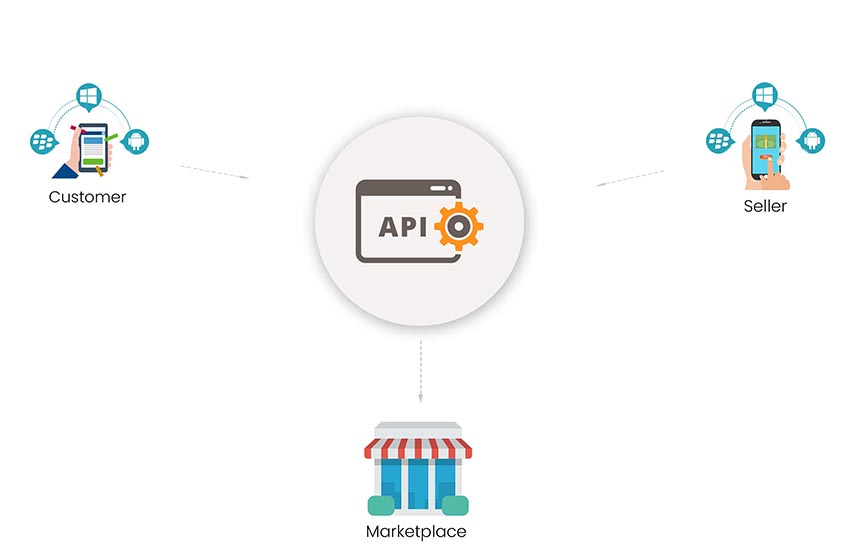
We provide an API using which an application can access most of the basic information related to the Purpletree module. Advanced data generated by extension is not available with the API. Please refer to the API document for more details.
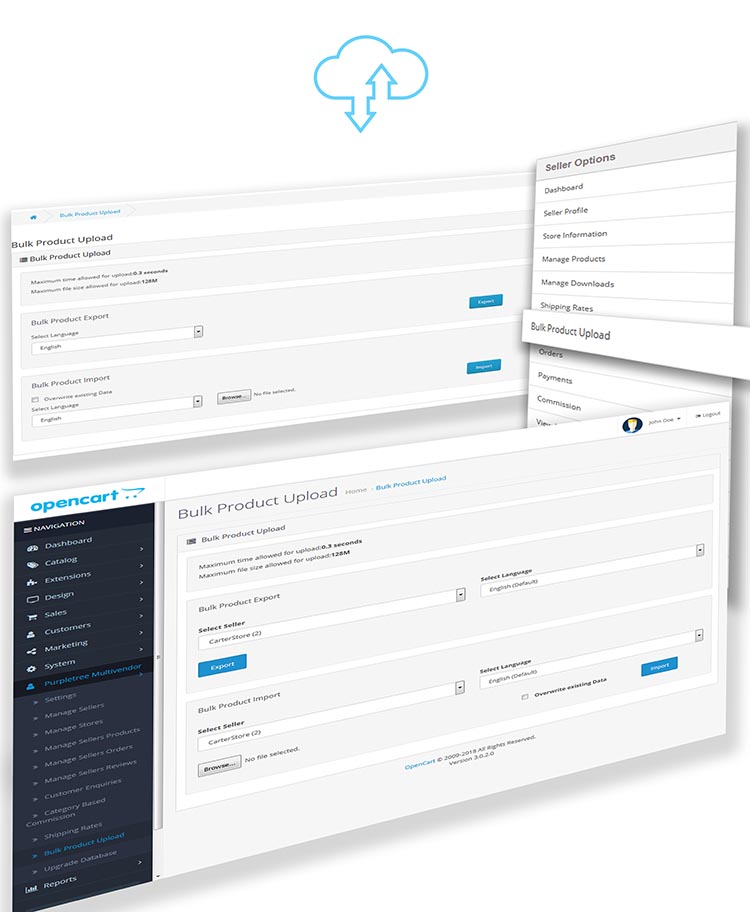
Bulk product import and export
A vendor and Admin can do bulk import/export of products.
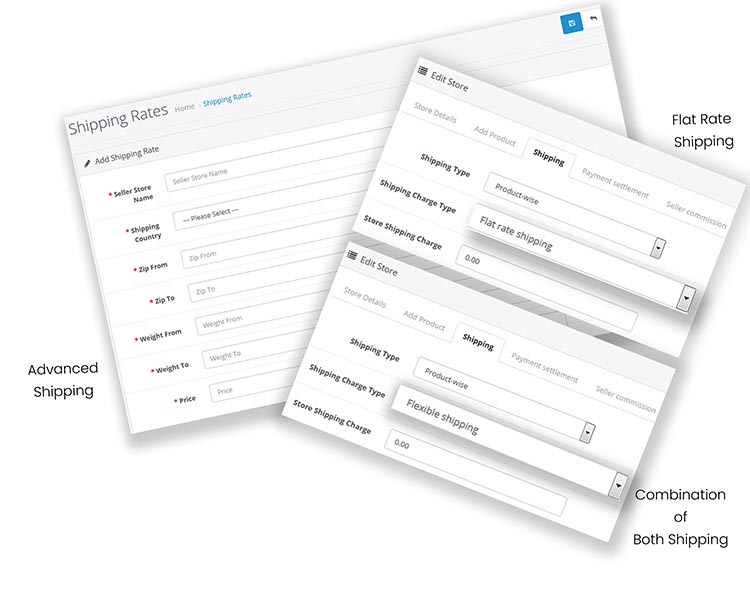
Advanced vendor shipping with parameters like weight, zip code
Vendors can configure shipping rates from the vendor panel for their products. It is also possible to bulk import shipping rates using the Excel sheet interface.
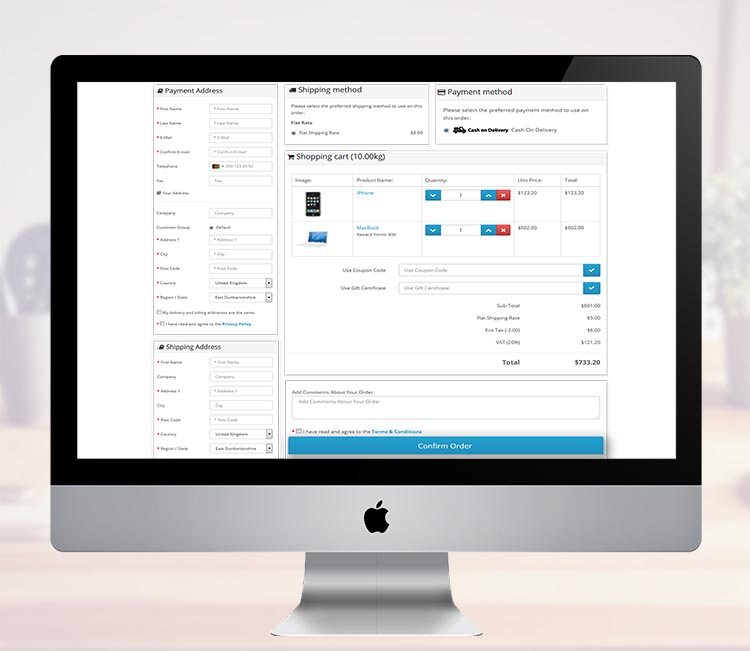
One Page Checkout
Module is compatible with the most popular one-page checkout solution AJAX Quick Checkout PRO (One Page Checkout, Fast Checkout).
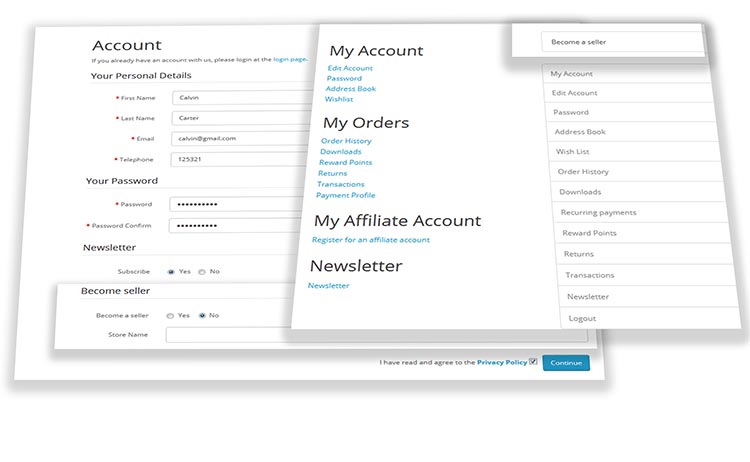
Vendor Registration
Vendors can register themselves from the frontend. Admin has complete control over vendor activation/de-activation.
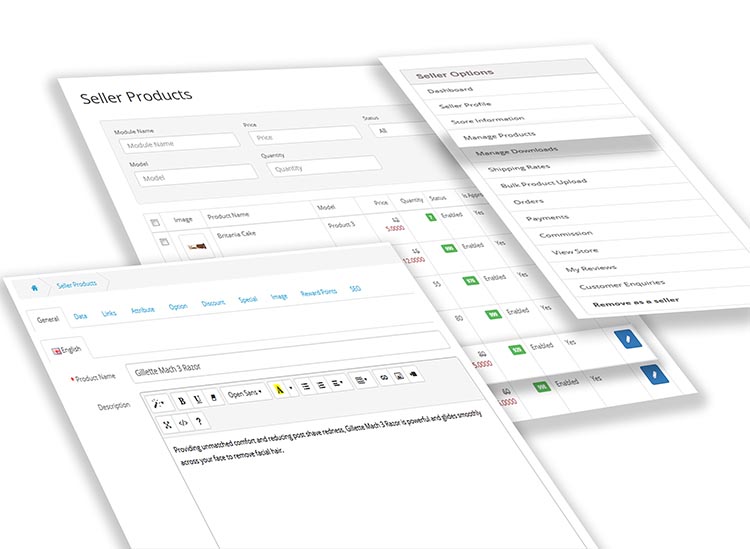
Product Management by Vendors
Merchants can manage their products from the Vendor panel. They can add/edit/delete products, and all product fields are available in the vendor panel.
Order Management by Vendors
Vendors are capable of handling their orders. They can mark their part of an order as complete and later Admin can set the final status of the order when all vendors process their orders. Vendors can also generate custom invoices for customers, having a Vendor's business as a biller.

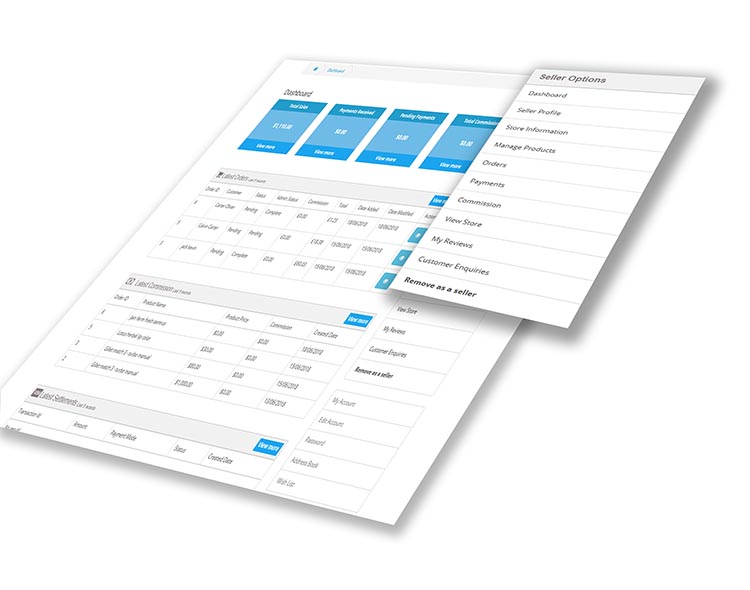
Advanced Vendor Dashboard
Vendors can review their sales, commissions, and payments coming from Admin in a comprehensive dashboard.
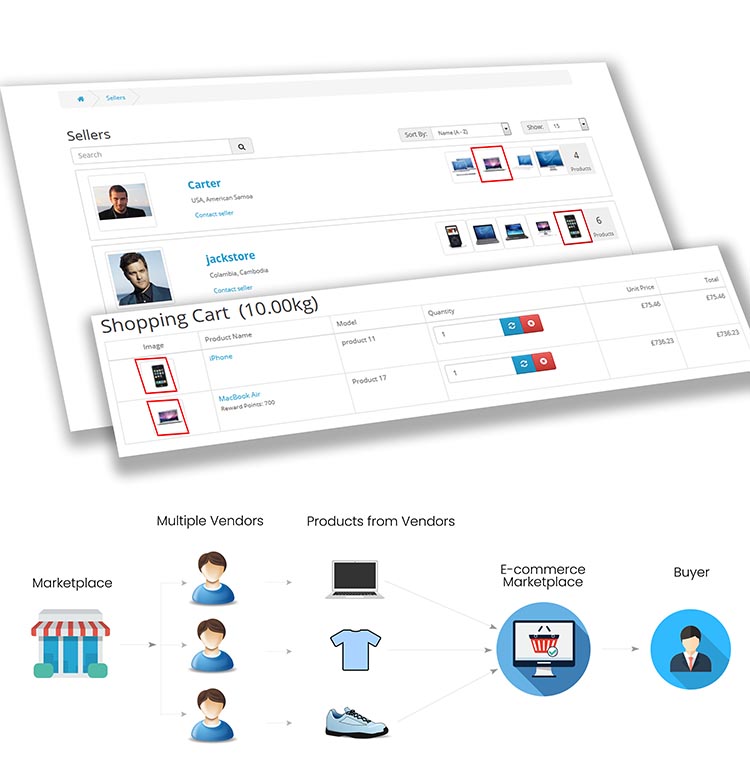
Multi-Vendor Checkout
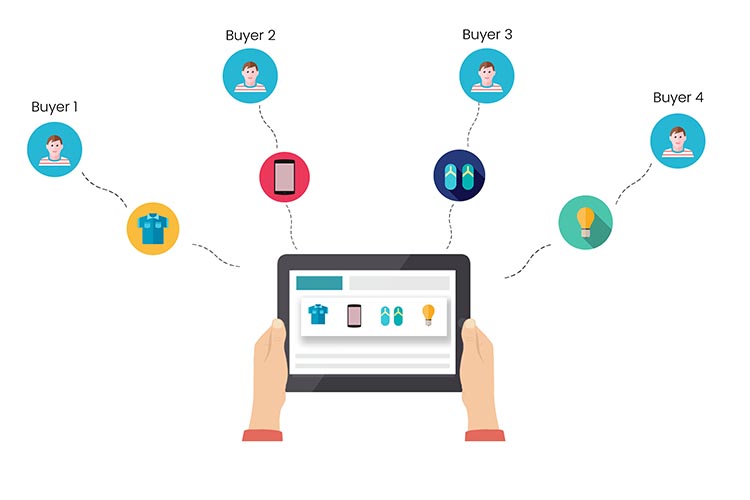
A customer can check out products from multiple vendors at the same time, from the same cart. After order generation, every vendor gets their own part of the order to process, and they can ship the products separately if they want.
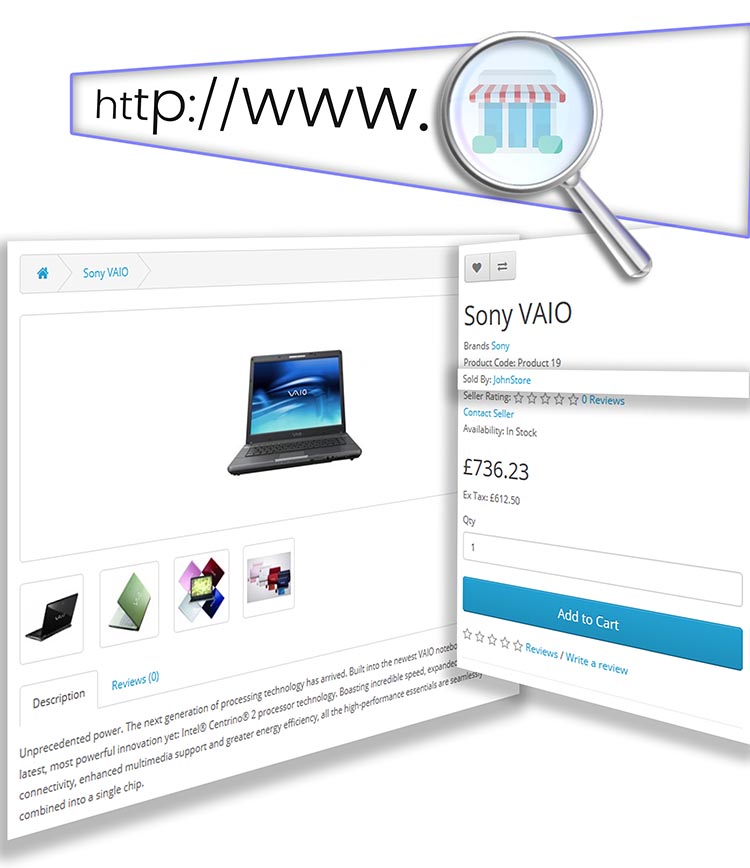
Store page for every Vendor
Every vendor gets a unique URL for its own page on the marketplace. Vendors can also define their policies and contact details to be shown on the store page.

SEO Compatible
Store pages are SEO compatible, so a seller can mention SEO details for own pages.
Accessibility for Store Pages
Customers can easily search for Vendors using the Browse Sellers and Search functions available.

Feedback for Vendors
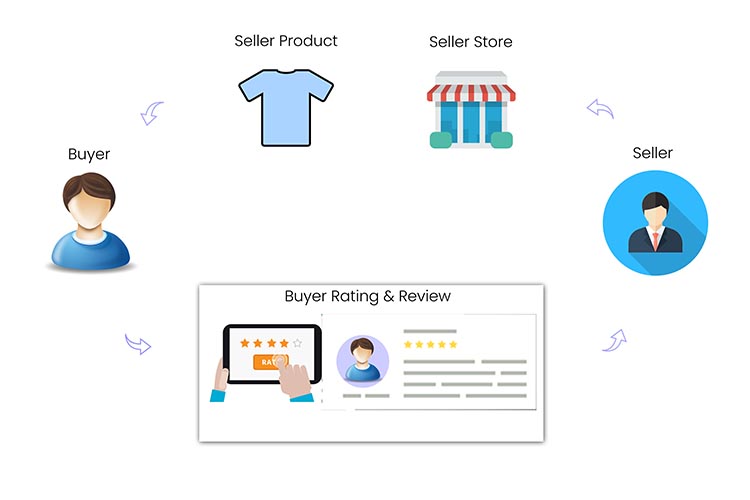
Customers can also give reviews and ratings to sellers, making it easy for other customers to make an informed decision. Customers can also contact vendors using the Contact Link given on product and vendor pages.
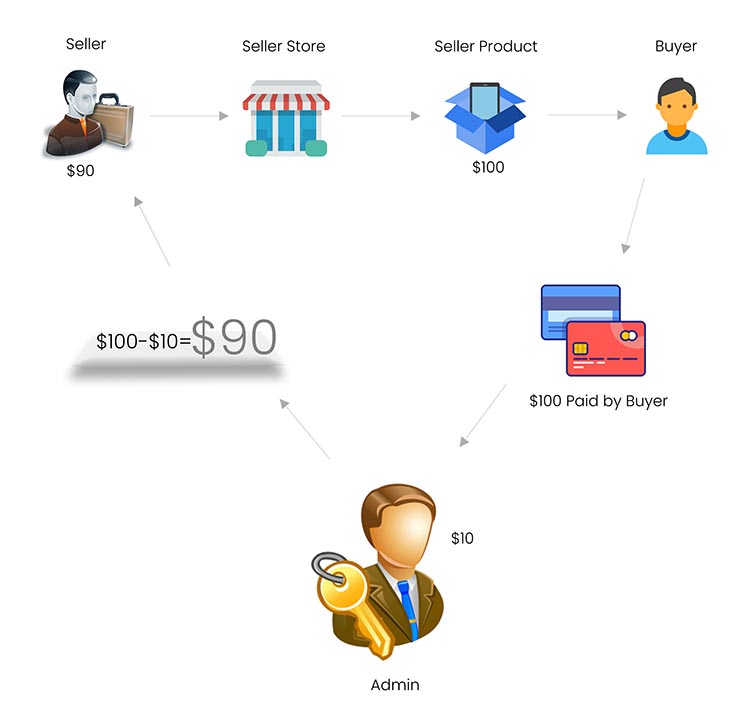
Many ways to configure Commissions - Global, per Category and Vendor
Commissions and Payments between Vendors and Admin
Admin collects all payments coming from customers and later settles with the Vendors, according to different commissions configured.
Change Logs
- Stripe Direct split payment for sellers. (February 2025)
- Sellers can use their own domains/subdomains. (October 2024)
- The Hyper-local System is available. (July 2024)
- Admin can enable/disable maximum features in the seller panel. (March 2024)
- Dedicated Seller Panel, like the admin panel. (December 2023)
- Journal 3 and Journal 2 themes are officially supported. (August 2023)
- One product can be sold by many sellers with Product Templates. (April 2023)
- Unlimited Custom Fields for Seller Registration. (January 2023)
- Email templates are available for every email sent by the Plugin. (October 2022)
- Stripe and PayPal Payouts are supported for direct split payments to vendors. (May 2022)
- Vendors can define shipping rates based on Geo Zones also. (December 2021)
- The RMA module is now available for managing product returns. (August 2021)
- The coupons module is now available for sellers. (March 2021)
- OpenCart Multi-Store is fully supported. (November 2020)
- Separate Seller Registration and Login Pages. (June 2020)
- Quick product creation form. (February 2020)
- Automated Meta tags population for better SEO. (October 2019)
- Drag and drop multi-image upload with the "Product Image Manager" on v2.3.x (July 2019)
- Sellers can subscribe to multiple subscription plans. (April 2019)
- Dynamic carousels for Featured Products and Stores. (September 2018)
- Subscription plans with online payments and automated reminders. (May 2018)
- API with basic functions available for mobile apps. (December 2017)
- Unlimited Live Chats between Sellers and Customers. (November 2017)
- Bulk product import/export using Excel available. (October 2017)
- Flexible shipping based on country, zip, weight, etc. (September 2017)
- Digital products can be sold by sellers. (July 2017)
Support
Unzip the downloaded file. You will see folders for different OpenCart versions. Open the folder that matches your store.
Download User Guide.
Installation guide for Opencart 4
API Documentation: Download API Documentation.
Tech Support: Raise a ticket.
Note: Check licensing policy.
Note: Help Tab is given on the demo for better understanding, not part of the product.
Why Buy from OpenCart Partner
Very few companies get approval as authorized partners from OpenCart.
An OpenCart partner has more mature solutions.
Partners have a very good track record in terms of customer support and the quality of products.
Purpletree OpenCart Partner profile.